
Data Only SIM UK
Stay connected without limits. Activate your eSIM today to enjoy 4G/5G EU data without calls or texts, making it ideal for streaming, browsing, remote work, and everyday online use across the UK!
5G Data Sim Only Plan
Check your device compatibility with eSIM
The easiest way to check if your device is compatible is to dial *#06#. If you're shown an EID (eSIM unique identification number) your device is compatible. For quick reference, you can also view our full list of eSIM-compatible devices below.
Apple

| iPhone Duo | iPhone 18 Pro Max | iPhone 18 Pro | iPhone Air |
| iPhone 17 Pro Max | iPhone 17 Pro | iPhone 17 | iPhone 17e |
| iPhone 16e | iPhone 16 Pro Max | iPhone 16 Pro | iPhone 16 Plus |
| iPhone 16 | iPhone 15 Pro Max | iPhone 15 Pro | iPhone 15 Plus |
| iPhone 15 | iPhone 14 Pro Max | iPhone 14 Pro | iPhone 14 Plus |
| iPhone 14 | iPhone SE 3 (2022) | iPhone 13 Pro Max | iPhone 13 Pro |
| iPhone 13 Mini | iPhone 13 | iPhone 12 Pro Max | iPhone 12 Pro |
| iPhone 12 Mini | iPhone 12 | iPhone SE 2 (2020) | iPhone 11 Pro Max |
| iPhone 11 Pro | iPhone 11 | iPhone XS Max | iPhone XS |
| iPhone XR | Apple Watch Ultra 4 | Apple Watch Series 12 | Apple Watch SE 3 |
| Apple Watch Ultra 2 | Apple Watch Ultra 3 | Apple Watch Series 11 | Apple iPad Air 3rd, 4th, 5th Generation |
| Apple iPad 7th, 8th, 9th, 10th Generation | Apple iPad Air 11 | Apple iPad Air 13 | Apple iPad Air 11-inch (M4) |
| Apple iPad Air 13-inch (M4) | Apple iPad Pro 13-inch (M5) | Apple iPad Pro 11-inch (M5) | Apple iPad mini (A20 Pro) |
| Apple iPad (A16) | Apple iPad mini 5th, 6th Generation | Apple Watch Ultra | Apple iPad Pro 13 |
| Apple Watch 10 | Apple iPad Pro 12.9 | Apple Watch Series 3rd, 4th, 5th, 6th, 7th, 8th, 9th, 10th Generation | Apple iPad Pro 11 |
| Apple Watch SE 2nd Generation |
Samsung
| Galaxy A35 5G | Galaxy Note20 Ultra 5G | Galaxy S22 ULTRA | Samsung Galaxy S25+ | Galaxy Tab S9 Fe Plus | Galaxy Z Flip |
| Galaxy A54 5G | Galaxy S20 | Galaxy S22+ | Samsung Galaxy S25 Edge | Galaxy Tab S9 FE+ | Galaxy Z Flip 5G |
| Galaxy A55 5g | Galaxy S20 5G | Galaxy S23 | Samsung Galaxy S25 | Galaxy Tab S9 Plus | Galaxy Z Flip3 5G |
| Galaxy Flip4 | Galaxy S20 Ultra | Galaxy S23 FE | Samsung Galaxy S25 FE | Galaxy Tab S9 Ultra 5G | Galaxy Z FLIP4 |
| Galaxy Flip3 | Galaxy S20 Ultra 5G | Galaxy S23 ULTRA | Samsung Galaxy Z Fold7 | Galaxy Watch | Galaxy Z Flip4 5G |
| Galaxy Flip5 | Galaxy S20 Ultra LTE | Galaxy S23+ | Samsung Galaxy Z Flip7 | Galaxy Watch Active2 | Galaxy Z Flip5 |
| Galaxy Fold | Galaxy S20+ | Galaxy S23FE | Samsung Galaxy Z Flip7 FE | Galaxy Watch FE | Galaxy Z Flip6 |
| Galaxy Fold4 | Galaxy S20+ 5G | Galaxy S24 | Galaxy Tab Active5 5G | Galaxy Watch2 | Galaxy Z Fold2 5G |
| Galaxy Note 20 5G | Galaxy S21 | Galaxy S24 FE | Galaxy Tab S10 Plus | Galaxy Watch3 | Galaxy Z Fold2 LTE |
| Galaxy Note 20 Ultra 5G | Galaxy S21 5G | Galaxy S24 ULTRA | Galaxy Tab S10 Ultra 5G | Galaxy Watch4 | Galaxy Z Fold3 5G |
| Galaxy Note20 | Galaxy S21 Ultra 5G | Galaxy S24+ | Galaxy Tab S9 | Galaxy Watch5 | Galaxy Z Fold4 |
| Galaxy Note20 5G | Galaxy S21+ 5G | Galaxy S24FE | Galaxy Tab S9 FE | Galaxy Watch5 Pro | Galaxy Z Fold5 |
| Galaxy Note20 Ultra | Galaxy S22 | Samsung Galaxy S25 Ultra | Galaxy Tab S9 FE 5G | Galaxy Watch6 | Galaxy Z Fold6 |
| Galaxy S26 | Galaxy S26+ | Galaxy S26 Ultra | Galaxy S26 FE | Galaxy Z Fold8 | Galaxy Z Fold8 Ultra |
| Galaxy Z Flip8 | Galaxy Z TriFold | Galaxy A57 5G | Galaxy A37 5G | Galaxy A56 5G | Galaxy A36 5G |
| Galaxy XCover7 | Galaxy XCover7 Pro | Galaxy Tab S11 | Galaxy Tab S11 Ultra | Galaxy Tab S10 FE | Galaxy Tab S10 FE+ |
| Galaxy Tab Active5 | Galaxy Tab Active5 Pro |
Android
| PIXEL | HUAWEI | OPPO | MOTOROLA | XIAOMI | SONY | OnePlus | NOKIA | VIVO |
|---|---|---|---|---|---|---|---|---|
| Pixel 3 | HUAWEI Mate 40 Pro | OPPO Find X5 Pro | moto g54 5G | Xiaomi Note 13 Pro 5G | Sony Xperia 10 III Lite | OnePlus 11 | Nokia XR21 | vivo X90 Pro |
| Pixel 3 XL | HUAWEI P40 | OPPO Find X5 | motorola edge 40 neo | Xiaomi Note 13 Pro+ 5G | Sony Xperia 10 IV | OnePlus 12 | Nokia X30 | vivo V29 |
| Pixel 3a | HUAWEI P40 Pro | OPPO A55s 5G | motorola edge 50 ultra | Xiaomi Note 14 Pro+ 5G | Sony Xperia 10 V | OnePlus 13 | Nokia G60 5G | vivo X100 Pro |
| Pixel 3a XL | HUAWEI Pura 70 Pro | OPPO Find N2 Flip | motorola razr 2023 | Xiaomi 12T Pro | Sony Xperia 1 IV | OnePlus Open | vivo X80 Pro | |
| Pixel 3XL | HUAWEI Pura 80 Pro | OPPO Find N3 | motorola razr 2024 | Xiaomi 13 | Sony Xperia 5 IV | vivo V29 Lite 5G | ||
| Pixel 4 | HUAWEI Pura 80 Ultra | OPPO Find N3 Flip | motorola edge 50 fusion | Xiaomi 13 Pro | Sony Xperia 5 V | vivo V40 | ||
| Pixel 4 XL | HUAWEI Mate X7 | OPPO Reno 9A | moto g53 5G | Xiaomi 13T | Sony Xperia Ace III | vivo V40 Lite | ||
| Pixel 4a | OPPO Reno 6 Pro 5G | motorola razr+ | Xiaomi 13T Pro | Sony Xperia 1 VI | vivo V40 SE 5G | |||
| Pixel 4a (5G) | OPPO Reno 5A | moto g84 5G | Xiaomi 14 | Sony Xperia 1 VII | vivo X200 Pro | |||
| Pixel 5 | OPPO Find X3 | moto g34 5G | Xiaomi 14 Pro | Sony Xperia 10 VII | vivo X300 Pro | |||
| Pixel 5a | OPPO Find X3 Pro | Cancun5G23 | Xiaomi 14T | |||||
| Pixel 6 | OPPO Find X8 Pro | motorola razr 50 ultra | Xiaomi 14T Pro | |||||
| Pixel 6 Pro | OPPO Find X9 Pro | motorola edge 40 | Xiaomi Watch 2 Pro | |||||
| Pixel 6a | Motorola Edge 60 | Xiaomi 15 | ||||||
| Pixel 7 | Motorola Edge 60 Neo* | Xiaomi 15 Ultra | ||||||
| Pixel 7 Pro | Motorola Razr 60 | |||||||
| Pixel 7a | Motorola Razr 60 Ultra | |||||||
| Pixel 8 | Motorola Edge 50 Neo | |||||||
| Pixel 8 Pro | Motorola Razr 40 Ultra | |||||||
| Pixel 8a | ||||||||
| Pixel 9 | ||||||||
| Pixel 9 Pro | ||||||||
| Pixel 9 Pro Fold | ||||||||
| Pixel 9 Pro XL | ||||||||
| Pixel Fold | ||||||||
| Pixel 10 | ||||||||
| Pixel 10 Pro | ||||||||
| Pixel 10 Pro XL | ||||||||
| Pixel 10 Pro Fold | ||||||||
Others
| Sharp | ZTE / Rakuten | HONOR | Fairphone | OUKITEL |
|---|---|---|---|---|
| Sharp AQUOS sense8 | ZTE Nubia Flip | Honor Magic 4 Pro | Fairphone 5 5G | OUKITEL WP30 Pro |
| Sharp AQUOS wish | Doogee V30 | Honor Magic 5 Pro | Fairphone 4 | OUKITEL WP33 Pro |
| Sharp AQUOS wish2 | Rakuten Hand | Honor Magic 6 Pro | V30 | |
| Sharp AQUOS 06 | Rakuten Big | Honor Magic V2 | Fairphone (Gen. 6) | |
| Sharp Sharp AQUOS R7 | Rakuten Big S | Honor Magic V3 | Fairphone (Gen. 6+) | |
| Sharp Sharp AQUOS R8 | Rakuten Hand 5G | Honor 90 | ||
| Sharp AQUOS wish3 | Rakuten Mini | Honor X8 | ||
| Sharp Sharp AQUOS R8 Pro | Honor 200 | |||
| Sharp AQUOS sense7 Plus | Honor 200 Pro | |||
| Sharp AQUOS sense7 | Honor Magic7 Pro | |||
| Sharp AQUOS sense4 lite | Honor Magic8 Pro | |||
| Sharp AQUOS sense6 | Honor Magic V5 | |||
| Sharp AQUOS zero6 | Honor Magic V6 | |||
| Sharp AQUOS sense6s | Honor 400 | |||
| Sharp AQUOS sense9 | Honor 400 Pro | |||
| Sharp AQUOS sense10 | Honor 400 Lite | |||
| Sharp AQUOS R9 | Honor 600 | |||
| Sharp AQUOS R9 Pro | Honor 600 Pro | |||
| Sharp AQUOS R10 | Honor 600 Lite | |||
| Sharp AQUOS wish4 | Honor Magic7 Lite | |||
| Sharp AQUOS wish5 | Honor Magic8 Lite | |||
| Honor X8c | ||||
| Honor X9c | ||||
| Honor X9d |
Installing your eSIM
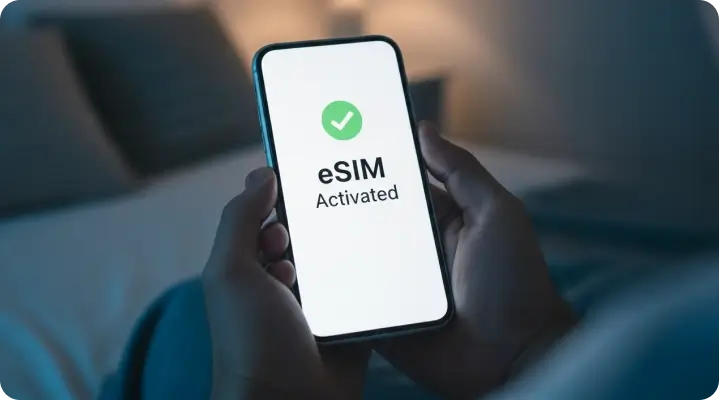
Simply scan the eSIM QR code from your order confirmation email, and then follow the step-by-step instructions on your device to install and activate your eSIM card.
For device-specific instructions, view our eSIM activation guide.
Download My Lyca Mobile
 Quickly view your credit balance, usage details, bills and more Stay ahead with early access to our latest offers and exclusive discounts Get convenient reminders to recharge and renew your plan


What Our Customers Say
Data Only SIM FAQs
What is a data-only SIM?
A data-only SIM is a SIM card that offers only data benefits. You cannot use a data-only SIM card to make/receive calls or send/receive SMS. Data-only SIMs are commonly used in tablets, mobile hotspots, Wi-Fi dongles, laptops, and IoT devices. They are often preferred by tourists who need high-speed data during their trip.
Why choose a data-only SIM?
Data-only SIM cards are ideal for those who communicate using internet-based applications or for providing affordable connectivity to additional devices (tablets, mobile Wi-Fi dongles, smartwatches, etc.) without paying for minutes that you won't use.
Can I use a data-only SIM in a phone?
Yes, you can utilize a data-only SIM with many different types of devices (phones, iPads/tablets, smartwatches, drones, etc.) that utilize SIM cards. You can also use a data-only SIM as a secondary SIM. A preferred option among tourists, the data-only SIM provides data for internet access, while the primary SIM card can be used for important bank-related messages and OTPs.
Do you get a phone number with a data-only SIM?
While you will receive a phone number assigned to the SIM card by the service provider, this number is used only by Lyca Mobile for billing purposes and identifying an account and not for the purpose of placing calls or sending text messages.
Can you make calls with a data-only SIM?
There is no way to make traditional voice calls using a mobile network, but you can use data-based apps such as WhatsApp, FaceTime, Skype, or Teams to make voice calls, along with other features through internet-based applications.
Can I use WhatsApp with a Data-only SIM?
As long as you are using the data-only SIM in a phone, you can register for either the existing account via the standard registration process or a new WhatsApp account using the standard verification process.
Can you get a SIM for an iPad?
Yes, all cellular-enabled iPads can utilize data-only SIMs to maintain online connectivity while travelling without the need for public Wi-Fi access.
Can you get a Data-only eSIM?
Yes, Lyca Mobile provides eSIM data plans. You will be able to use your compatible mobile device immediately by downloading the eSIM profile online; you will not have to wait for a physical SIM.
Can you receive or send texts with a data-only SIM?
No, SMS or MMS text messages will be blocked on your data-only SIM. You will, however, be able to freely send and receive messages through app-based messaging systems such as WhatsApp or iMessage or messenger systems such as Messenger.