
Switch to the Smarter Network That Saves You More
Switch to Lyca Mobile without the hassle of updating your contacts. Simply choose a PAYG or Pay Monthly bundle and keep your existing number. It’s quick, easy and can be done from home, whenever it suits you.
Switch to Lyca Mobile today for a flexible, reliable and affordable network.
Transfer your number to Lyca Mobile in just four steps
Step 1: Get Your PAC Code and ICCID Number
- Get your new PAC Code: Text PAC to 65075 from your current mobile number. Your PAC will be sent to you free of charge.
- Use your PAC: Your PAC is valid for 30 days, so make sure you use it before it expires.
Get Your SIM ICCID Number: 2 Easy Ways to Find It
1. From your SIM card
- Physical SIM card: The ICCID is usually printed on the SIM card or the card it came attached to
- eSIM: The ICCID is usually within the confirmation email with the esim QR code
2. In the phone settings
- iPhone: Go to Settings → General → About → ICCID.
- Android: Go to Settings → About Phone → SIM Status or SIM Card Status. The exact location may vary by device.
- Need help? You can also contact your current network provider’s customer support team to request your PAC.

Step 2: Purchase a Lyca Mobile Bundle
- Choose your plan: Select a Lyca Mobile PAYG or Pay Monthly bundle that suits your needs.
- Select your Sim type
- Physical Sim: Physical SIM cards are delivered within 2 working days.
- eSIM: If you select an eSIM, your activation QR code is sent immediately in your order confirmation email for you to activate
- Have your PAC ready: Keep the PAC code from your current mobile provider handy, you’ll need it to transfer your existing number to Lyca Mobile.

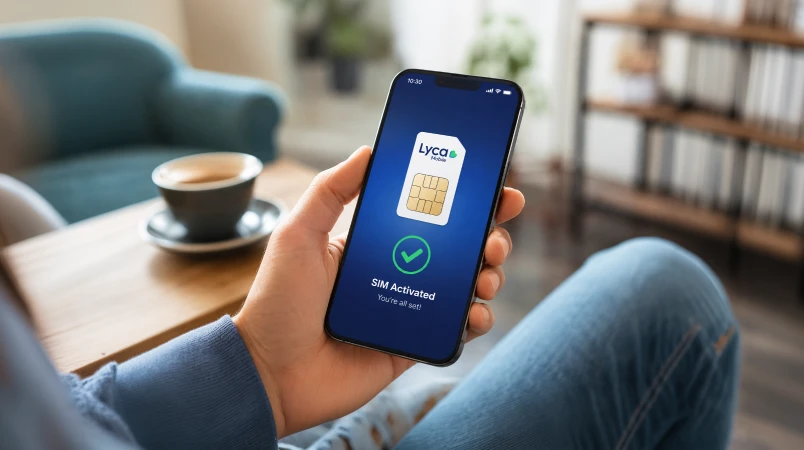
Step 3: Activate Your New Lyca Mobile Number
- eSIM: Scan the activation QR code sent to your email and follow the on-screen instructions to activate your eSIM
- Physical SIM: Insert your Lyca Mobile SIM into your unlocked smartphone and follow the activation instructions.
- Ready to transfer your number? Once your Lyca Mobile SIM is active, use your PAC code to transfer your existing mobile number to Lyca Mobile.
Step 4: Start Your Number Transfer
- Visit the Switch to Lyca page to start your number transfer.
- Enter your Lyca Mobile details: Provide your new Lyca Mobile number and SIM ICCID when prompted.
- Enter your PAC: Enter the PAC code from your previous mobile provider to authorise the transfer.
- Complete the transfer: Follow the on-screen instructions to submit your request and transfer your existing number to Lyca Mobile.

Things to Remember When Switching to Lyca Mobile
Make your switch to Lyca Mobile smooth and hassle-free. Here’s what you’ll need, what to expect and what to avoid.
What You’II Need
- An active mobile number: Your existing number must be active with your current provider.
- An activated Lyca Mobile SIM or eSIM: Make sure your new Lyca SIM is activated before starting the transfer.
- An unlocked 4G/5G-compatible smartphone: Your phone must be unlocked and compatible with the Lyca Mobile network.
- Your PAC code: Request a PAC from your current provider and have it ready when you start your number transfer.

What To Expect
- Temporary service interruption: You may briefly lose mobile service while your number is being transferred.
- Confirmation when the transfer is complete: Lyca Mobile will send you an SMS once your number transfer is successful.

What To Avoid
- Clear Outstanding bills: Make sure any outstanding balance with your current provider is settled.
- Cancelling your current plan too early: Keep your existing service active until your number transfer is complete.
- Incorrect details: Double-check your PAC, mobile number and personal information before submitting your transfer request.
- Contract restrictions: Check whether your current contract allows you to transfer your number and whether any charges may apply.
- Incompatible eSIM devices: Make sure your smartphone supports eSIM before purchasing an eSIM plan.

FAQs
What does it mean to port my number to Lyca Mobile?

Porting your number to Lyca Mobile means bringing your old number from your current mobile network. This way you can enjoy all the benefits of being a Lyca Mobile customer without having to deal with the hassle of changing your number. The number transfer process is quite easy and completely online.
Can I transfer my number from any network?
Yes, you can transfer your number to Lyca Mobile from any network. Just purchase a Lyca Mobile PAYG bundle and head to the Switch to Lyca page to begin the process.
Will I lose my contacts, photos, or messages during the transfer?
No, you will not lose contacts, photos or messages during the transfer. Transferring your number doesn’t have any impact on the data in your phone. That said, if the contacts are stored in your physical SIM card, then you might lose them during the SIM swap process.
What happens to my old SIM card?
After a successful number transfer process, your SIM card with the old operator becomes inactive. Even though it is associated with the current number, you will be unable to make/receive calls, send/receive messages, and use data.
Who can I contact if I need help with my number transfer?
If you’re running into issues during the Lyca Mobile number transfer process, then you should contact customer support by dialling 322 from a Lyca Mobile number or 0207 132 0322 or +44 207 132 0322 from other networks.
Glossary
eSIM
Short for Embedded Subscriber Identity Module, an eSIM is a digital SIM card that is built into your device. It cannot be physically removed and is activated digitally by downloading an eSIM profile, which is done by scanning a QR code. eSIMs enable quick and hassle-free switching of numbers and operators.
SIM Number
This is often referred to as ICCID (Integrated Circuit Card Identifier). A SIM number is an 18-22 character-long unique number that is associated with each SIM card/eSIM. Its primary purpose is to identify the SIM card/eSIM during activation or when porting a number to a different operator. For physical SIM cards, the SIM number is found on the SIM card holder. As for eSIMs, the SIM number can be found in the order confirmation email.
PIN
This is a unique 4-digit number that is associated with your mobile number. It is often used to verify the account holder’s identity when a user attempts to transfer their number to another operator. A PIN can also be referred to as a Transfer PIN or a Password PIN.
PUK
PUK stands for Personal Unlocking Key. It also goes by the names Personal Unblocking Key, PIN Unlock Key, Network Unlock Code (NUC), and Personal Unlocking Code (PUC). It is a unique eight-digit security code found on the SIM card holder/order confirmation email. The PUK is used when unlocking a SIM card that has been locked after entering an incorrect PIN too many times (usually three). In addition to unlocking a locked SIM card/eSIM, a PUK code is also used when activating a Lyca Mobile SIM card/eSIM and when switching your existing number to Lyca Mobile.
Account Number
An account number is a unique identifier assigned by a mobile operator to a user’s account. Along with a PIN, the account number is used when a user transfers their number to a different operator. It is also used as a referring number to your account in bills paid.
Port-in Number
This is the current 10-digit mobile number you’re bringing to Lyca Mobile.
Locked/Unlocked Device
Refers to the status of your smartphone. If your smartphone was purchased along with a prepaid/postpaid plan, then it might be under a contract for a certain period of time. During this period, you cannot use your smartphone with operators other than the one it was purchased with. If your device is locked to a certain mobile operator, reach out to your current operator’s customer support to find out how you can unlock it.