
What is an eSIM?
An eSIM is an embedded SIM, electronic alternative to a physical sim card that connects your mobile phone or tablet to a mobile network allowing you to make calls, send texts and use the internet.
The setup is fast and incredibly easy, allowing you to connect to the Lyca Mobile UK network instantly. While not every handset supports eSIM, the technology is fast becoming the industry standard. Unlike existing SIM cards, an eSIM is a specific piece of code embedded into the device itself and cannot be removed and put in another phone or tablet. Its unique to you.
If your device is eSIM compatible (view tool below), you unlock flexibility. You can manage multiple SIM profiles at once, which is great for organising a different phone number for work or for travelling abroad without swapping a physical SIM card.
Our Top eSIM Card Deals
Compare Lyca Mobile Plans with Other UK Mobile Networks
Compare data allowance, monthly prices, contract flexibility, EU roaming and international calling to see how Lyca Mobile pay as you go plans compare against other leading UK networks.
* 50% off for the 1st month - Original Price £10
Note: This SIM-only deals comparison table is correct as of 9th September 2026 (6:00pm) and based on published information on all network websites
Check your device compatibility with eSIM
The easiest way to check if your device is compatible is to dial *#06#. If you're shown an EID (eSIM unique identification number) your device is compatible. For quick reference, you can also view our full list of eSIM-compatible devices below.
Apple

| iPhone Air | iPhone 17 Pro Max | iPhone 17 Pro | iPhone 17 |
| iPhone 16e | iPhone 16 Pro Max | iPhone 16 Pro | iPhone 16 Plus |
| iPhone 16 | iPhone 15 Pro Max | iPhone 15 Pro | iPhone 15 Plus |
| iPhone 15 | iPhone 14 Pro Max | iPhone 14 Pro | iPhone 14 Plus |
| iPhone 14 | iPhone SE 3 (2022) | iPhone 13 Pro Max | iPhone 13 Pro |
| iPhone 13 Mini | iPhone 13 | iPhone 12 Pro Max | iPhone 12 Pro |
| iPhone 12 Mini | iPhone 12 | iPhone SE 2 (2020) | iPhone 11 Pro Max |
| iPhone 11 Pro | iPhone 11 | iPhone XS Max | iPhone XS |
| iPhone XR | Apple Watch Ultra 2 | Apple iPad Air 3rd, 4th, 5th Generation | Apple iPad 7th, 8th, 9th, 10th Generation |
| Apple iPad Air 11 | Apple iPad Air 13 | Apple iPad mini 5th, 6th Generation | Apple Watch Ultra |
| Apple iPad Pro 13 | Apple Watch 10 | Apple iPad Pro 12.9 | Apple Watch Series 3rd, 4th, 5th, 6th, 7th, 8th, 9th 10th Generation |
| Apple iPad Pro 11 | Apple Watch SE 2nd Generation |
Samsung
| Galaxy A35 5G | Galaxy Note20 Ultra 5G | Galaxy S22 ULTRA | Samsung Galaxy S25+ | Galaxy Tab S9 Fe Plus | Galaxy Z Flip |
| Galaxy A54 5G | Galaxy S20 | Galaxy S22+ | Samsung Galaxy S25 Edge | Galaxy Tab S9 FE+ | Galaxy Z Flip 5G |
| Galaxy A55 5g | Galaxy S20 5G | Galaxy S23 | Samsung Galaxy S25 | Galaxy Tab S9 Plus | Galaxy Z Flip3 5G |
| Galaxy Flip4 | Galaxy S20 Ultra | Galaxy S23 FE | Samsung Galaxy S25 FE | Galaxy Tab S9 Ultra 5G | Galaxy Z FLIP4 |
| Galaxy Flip3 | Galaxy S20 Ultra 5G | Galaxy S23 ULTRA | Samsung Galaxy Z Fold7 | Galaxy Watch | Galaxy Z Flip4 5G |
| Galaxy Flip5 | Galaxy S20 Ultra LTE | Galaxy S23+ | Samsung Galaxy Z Flip7 | Galaxy Watch Active2 | Galaxy Z Flip5 |
| Galaxy Fold | Galaxy S20+ | Galaxy S23FE | Samsung Galaxy Z Flip7 FE | Galaxy Watch FE | Galaxy Z Flip6 |
| Galaxy Fold4 | Galaxy S20+ 5G | Galaxy S24 | Galaxy Tab Active5 5G | Galaxy Watch2 | Galaxy Z Fold2 5G |
| Galaxy Note 20 5G | Galaxy S21 | Galaxy S24 FE | Galaxy Tab S10 Plus | Galaxy Watch3 | Galaxy Z Fold2 LTE |
| Galaxy Note 20 Ultra 5G | Galaxy S21 5G | Galaxy S24 ULTRA | Galaxy Tab S10 Ultra 5G | Galaxy Watch4 | Galaxy Z Fold3 5G |
| Galaxy Note20 | Galaxy S21 Ultra 5G | Galaxy S24+ | Galaxy Tab S9 | Galaxy Watch5 | Galaxy Z Fold4 |
| Galaxy Note20 5G | Galaxy S21+ 5G | Galaxy S24FE | Galaxy Tab S9 FE | Galaxy Watch5 Pro | Galaxy Z Fold5 |
| Galaxy Note20 Ultra | Galaxy S22 | Samsung Galaxy S25 Ultra | Galaxy Tab S9 FE 5G | Galaxy Watch6 | Galaxy Z Fold6 |
Android
| PIXEL | HUAWEI | OPPO | MOTOROLA | XIAOMI | SONY | OnePlus | NOKIA | VIVO |
| Pixel 3 | HUAWEI Mate 40 Pro | OPPO Find X5 Pro | moto g54 5G | Xiaomi Note 13 Pro 5G | Sony Xperia 10 III Lite | OnePlus 11 | Nokia XR21 | vivo X90 Pro |
| Pixel 3 XL | HUAWEI P40 | OPPO Find X5 | motorola edge 40 neo | Xiaomi Note 13 Pro+ 5G | Sony Xperia 10 IV | OnePlus 12 | Nokia X30 | vivo V29 |
| Pixel 3a | HUAWEI P40 Pro | OPPO A55s 5G | motorola edge 50 ultra | Xiaomi Note 14 Pro+ 5G | Sony Xperia 10 V | OnePlus 13 | Nokia G60 5G | vivo X100 Pro |
| Pixel 3a XL | HUAWEI Pura 70 Pro | OPPO Find N2 Flip | motorola razr 2023 | Xiaomi 12T Pro | Sony Xperia 1 IV | OnePlus Open | vivo X80 Pro | |
| Pixel 3XL | OPPO Find N3 | motorola razr 2024 | Xiaomi 13 | Sony Xperia 5 IV | vivo V29 Lite 5G | |||
| Pixel 4 | OPPO Find N3 Flip | motorola edge 50 fusion | Xiaomi 13 Pro | Sony Xperia 5 V | vivo V40 | |||
| Pixel 4 XL | OPPO Reno 9A | moto g53 5G | Xiaomi 13T | Sony Xperia Ace III | vivo V40 Lite | |||
| Pixel 4a | OPPO Reno 6 Pro 5G | motorola razr+ | Xiaomi 13T Pro | Sony Xperia 1 VI | vivo V40 SE 5G | |||
| Pixel 4a (5G) | OPPO Reno 5A | moto g84 5G | Xiaomi 14 | |||||
| Pixel 5 | OPPO Find X3 | moto g34 5G | Xiaomi 14 Pro | |||||
| Pixel 5a | OPPO Find X3 Pro | Cancun5G23 | Xiaomi 14T | |||||
| Pixel 6 | motorola razr 50 ultra | Xiaomi 14T Pro | ||||||
| Pixel 6 Pro | motorola edge 40 | Xiaomi Watch 2 Pro | ||||||
| Pixel 6a | ||||||||
| Pixel 7 | ||||||||
| Pixel 7 Pro | ||||||||
| Pixel 7a | ||||||||
| Pixel 8 | ||||||||
| Pixel 8 Pro | ||||||||
| Pixel 8a | ||||||||
| Pixel 9 | ||||||||
| Pixel 9 Pro | ||||||||
| Pixel 9 Pro Fold | ||||||||
| Pixel 9 Pro XL | ||||||||
| Pixel Fold |
Others
| Sharp | ZTE | HONOR | Fairphone | OUKITEL |
| Sharp AQUOS sense8 | ZTE Nubia Flip | Honor Magic 4 Pro | Fairphone 5 5G | OUKITEL WP30 Pro |
| Sharp AQUOS wish | Doogee V30 | Honor Magic 5 Pro | Fairphone 4 | OUKITEL WP33 Pro |
| Sharp AQUOS wish2 | Rakuten Hand | Honor Magic 6 Pro | V30 | |
| Sharp AQUOS 06 | Rakuten Big | Honor Magic V2 | ||
| Sharp Sharp AQUOS R7 | Rakuten Big S | Honor Magic V3 | ||
| Sharp Sharp AQUOS R8 | Rakuten Hand 5G | Honor 90 | ||
| Sharp AQUOS wish3 | Rakuten Mini | Honor X8 | ||
| Sharp Sharp AQUOS R8 Pro | Honor 200 | |||
| Sharp AQUOS sense7 Plus | Honor 200 Pro | |||
| Sharp AQUOS sense7 | ||||
| Sharp AQUOS sense4 lite | ||||
| Sharp AQUOS sense6 | ||||
| Sharp AQUOS zero6 | ||||
| Sharp AQUOS sense6s |
Get your eSIM UK with 3 easy steps
Get your eSIM in minutes by following our 3 easy step process with the option of keeping your number. Your Lyca Mobile eSIM must be activated in the United Kingdom unless specified in the terms and conditions. Once your eSIM is activated, you can use it internationally according to your mobile plan.
Check compatibility
Check and verify if your device is compatible with an eSIM.
Check compatibility tool above.

Buy a SIM only plan
Choose a SIM (eSIM or Physical SIM) only plan that suits you.

Activate eSIM
Scan the QR code you received in your order confirmation email and follow the step-by-step instructions on your device.
Keep your number
Transfer your existing mobile number to Lyca Mobile, quickly and effortlessly.
Installing your eSIM
Simply scan the eSIM QR code from your order confirmation email, and then follow the step-by-step instructions on your device to install and activate your eSIM card.
For device-specific instructions, view our eSIM activation guide.
Download My Lyca Mobile
 Quickly view your credit balance, usage details, bills and more Stay ahead with early access to our latest offers and exclusive discounts Get convenient reminders to recharge and renew your plan


Using your UK eSIM
- Travelling with Lyca Mobile UK: Our eSIM plans are ready for travel and features a generous EU roaming allowance (up to 35GB).
Affordable International Calling: Connect with friends and family across the world without the high costs. Our great value eSIM deals include international calling minutes as standard.
Dual SIM functionality: Easily manage multiple phone numbers without needing a second device.


Benefits of eSIM

Speed and Convenience
Activate your eSIM instantly. No need for physical SIM cards and waiting for them to arrive.
Flexibility (Dual SIM Advantage)
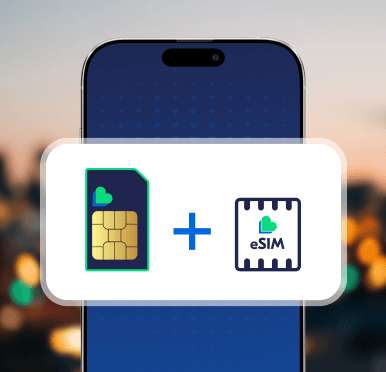
You can switch between different numbers and network providers. Perfect for personal work and travel use.

Better Security
eSIMs provide enhanced security as they cannot be easily cloned or physically swapped.
What Our Customers Say
FAQs
Can I get Lyca Mobile eSIM on Pay As You Go SIM only deals?
Yes! We offer Pay As You Go (prepaid) SIM only deals to our customers, as long as their devices are compatible with the eSIM technology. We also offer eSIM deals with our Pay Monthly SIM only plans.
View our full eSIM FAQs and support guide for more information.
What is eSIM QR code?
The eSIM QR Code is a digital representation of your electronic SIM card (eSIM) that contains essential information required to activate and configure your eSIM on a compatible device. It serves as a convenient and secure method for provisioning your mobile connectivity, eliminating the need for a physical SIM card.
Here's what the eSIM QR Code typically includes:
Activation Information: The QR Code contains details about your mobile plan, carrier, and other necessary activation information.
Network Credentials: It holds network credentials required for your device to connect to the carrier's network.
Profile Settings: The QR Code may include specific device settings to ensure seamless connectivity and compatibility.
To use the Lyca Mobile eSIM QR Code received by order confirmation email, simply scan it with your device's camera, following the instructions. Once scanned, your device will be ready to use with the eSIM. You will receive SMS with details of Mobile number / (MSISDN) assigned.
How do I activate my eSIM that I ordered?
Here are the steps to activate your eSIM:
- After ordering your eSIM online with bundle plan via Lyca Mobile, you will receive a confirmation email
- The email will contain a QR code for activating your eSIM
- Depending on your phone model (iOS, Android, Samsung Smartphone, Huawei etc.), follow the instructions below to successfully activate your eSIM
A. iPhone
You’ll need a Wi-Fi/Mobile Data connection on your phone and an eSIM activation card with a QR code from Lyca Mobile. To download your eSIM, open your camera app, point the camera at the QR code, and follow the prompts. If you can’t scan the QR code through the camera scanner, follow the below steps:
- Connect to Wi-fi
- Go to Settings
- Mobile data
- Add eSIM (Clicking on it will open the QR code scanner)
- Follow the prompts to scan the QR code on your eSIM activation card from Lyca Mobile
B. Samsung Smartphone
You’ll need a Wi-Fi/Mobile Data connection on your phone and an eSIM activation card with a QR code from Lyca Mobile. To download your eSIM, open your camera app, scan the QR code, and follow the prompts. If you can’t scan the QR code through the camera scanner, follow the below mentioned steps:
- Connect to Wi-Fi
- Open Settings
- Select Connections
- Select SIM card manager
- Select Add mobile plan
- Follow the prompts to scan the QR code on your eSIM activation card from Lyca Mobile
C. Google Smartphone
You’ll need a Wi-Fi/Mobile Data connection on your phone and an eSIM activation card with a QR code from Lyca Mobile. To download your eSIM, open your camera app, scan the QR code, and follow the prompts.
If you can’t scan the QR code through the camera scanner, follow the below mentioned steps:
- Connect to Wi-Fi.
- Open Settings.
- Choose Network & Internet.
- Select the plus sign (+) next to Mobile network.
- Select Download a SIM instead.
- Follow the prompts to scan the QR code on your eSIM activation card from Lyca Mobile.
D. Huawei
You’ll need a Wi-Fi/Mobile Data connection on your phone and an eSIM activation card with a QR code from Lyca Mobile. To download your eSIM, open your camera app, scan the QR code, and follow the prompts. If you can’t scan the QR code through the camera scanner, follow the below mentioned steps:
- Connect to Wi-Fi.
- Open Settings and look for Mobile Network.
- Choose SIM Management.
- Add eSIM.
- Select Type - eSIM
- Follow the prompts to scan the QR code on your eSIM activation card from Lyca Mobile.
Can I activate my eSIM while I’m abroad?
Your Lyca Mobile eSIM must be activated in the UK. Once your eSIM is activated in the UK, you can use it internationally according to your mobile plan.
I have a physical SIM card, how do I swap it with an eSIM ?
Switching from a physical SIM to an eSIM with Lyca Mobile is easy. Here are the steps to follow:
Step 1: Start by logging in to your Lyca Mobile account on their website.
Step 2: Click on the "SIM Management" tab within your account.
Step 3: In the SIM Management section, look for the "SIM Swap" tab and select the option for "Swap Physical SIM to eSIM".
Step 4: Place an Order for eSIM
On the SIM Swap page, place an order for an eSIM.
Upon successful order placement, you will receive a confirmation email with a QR code. The QR code will also be displayed on your screen.
This QR code will contain essential eSIM information.
Step 5: Use your device's camera to scan the QR code received via email or displayed on your screen. This will install the eSIM on your phone.
Step 6: In the given space, enter the details of your physical SIM, including the MSISDN (mobile number) and ICCID. Submit these details for validation.
Step 7: Enter eSIM Details
After successful validation of your physical SIM, enter the details of your eSIM, including the eSIM mobile number and ICCID.
Confirm the swap from the physical SIM to the eSIM, ensuring that your original mobile number is mapped to the eSIM.
Step 8: Once you confirm the swap, your original mobile number will be mapped to the eSIM. Any balance or account details from your physical SIM will be carried forward to the eSIM.
Once you have switched from your old physical SIM to new eSIM, wait for the activation message for your top pay monthly SIM only deals.
Facing problems in making the transition from physical SIM to eSIM? Connect with our chatbot for faster query resolution or contact our Customer Support team.
I’ve accidently deleted my eSIM from my phone, what do I do?
If you've accidentally deleted your eSIM from your phone, don't worry; you can typically re-add it using the following steps:
1. Contact Support
Reach out to Lyca Mobile customer support via LIA Chat or calling the support team. They can help you re-provision or re-add the eSIM to your device. They will provide you with the necessary information and instructions to do this.
2. Access eSIM Settings
On your phone, navigate to the SIM card settings. The location of these settings may vary depending on your device and operating system (iOS or Android).
3. Scan QR Code
If you have a backup of the eSIM QR code or have received a new one after raising a request to customer support, you can use it to scan and re-add the eSIM. Once you have the required information, follow the on-screen instructions to re-add the eSIM to your device.
Note: Remember to back up your eSIM information (ICCID) and QR code in a secure place to prevent any future accidental deletions.