Best eSIM for Spain
Get Lyca Mobile's Spain eSIM with up to 35GB EU roaming and 100 international minutes. Choose your plan, activate your eSIM for Spain in minutes and stay connected globally.
How does a Lyca eSIM work in Spain?

Your Lyca eSIM will work in Spain just like a physical SIM card does. All you have to do is activate your Lyca eSIM for Spain in the UK before you leave. Just enable Mobile Data after landing in Spain and you can enjoy internet at 4G/5G speeds!
Can I activate my Spain eSIM while I'm abroad?
Unfortunately, you cannot activate your Lyca Spain eSIM while you’re abroad. The eSIM for Spain must be activated in the UK. After activation, you can use it throughout Spain without any restrictions.
How can I check and top up my Spain eSIM data plan?
There are two ways you can check and top up your Spain eSIM data plan. The first and most convenient method is to download the official Lyca Mobile app (available for Android and iOS). Through the app, you can buy new plans, top up existing plans, and check your current data usage. The second method is to head to the Lyca Mobile UK website and log in using your credentials. After you log in, you can top up existing plans and monitor data usage.
Will my physical SIM card still work with my Lyca eSIM in Spain?
Yes, your physical SIM card will work perfectly well with your Lyca eSIM in Spain. Your primary physical line will be used to receive bank-related OTPs and other important messages, and the Lyca eSIM can be used for high-speed data.
I have accidentally deleted my Lyca Spain eSIM from my phone. What do I do?
You don’t have to worry if you’ve deleted your Lyca Spain eSIM from your phone. There are two things you can do. First, try rescanning the QR code in the confirmation email. If you’re facing troubles with that, then you should consider getting in touch with a customer support professional for assistance.
At Lyca Mobile, we offer EU Roaming on all of our UK national plans as standard
As of 17 July 2023, all current Lyca Mobile Pay monthly SIM and Pay As You Go SIM only deals come with EU Roaming included as standard. This means there are no additional charges for using your plan’s EU Roaming allowance within those countries listed as included within Lyca Mobile’s European Roaming Zone (“EU Roaming Zone”)
Countries in Lyca Mobile’s EU Roaming Zone include:
Allowances are subject to our Fair Usage Policy. See below for further details on call, text and data allowances, setting out reasonable limits on your use of our roaming feature across our EU Roaming Zone destinations, while allowing you to make the most of your EU Roaming allowances at no additional cost.
| Austria | Belgium | Bulgaria |
| Croatia | Cyprus | Czech Republic |
| Denmark | Estonia | Finland |
| France | Germany | Greece |
| Hungary | Iceland | Ireland |
| Italy | Latvia | Liechtenstein |
| Lithuania | Luxembourg | Malta |
| Netherlands | Norway | Poland |
| Portugal | Romania | Slovakia |
| Slovenia | Spain | Sweden |
Allowances are subject to our Fair Usage Policy. See below for further details on call, text and data allowances, setting out reasonable limits on your use of our roaming feature across our EU Roaming Zone destinations, while allowing you to make the most of your EU Roaming allowances at no additional cost.
EU Roaming Activation Guide

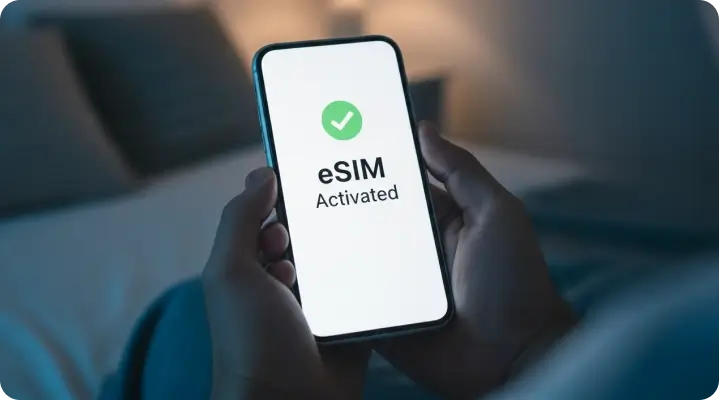
Your Lyca Mobile eSIM must be activated in the United Kingdom unless specified in the terms and conditions. Once activated, you can use it internationally according to your mobile plan.

Check your device compatibility with eSIM
The easiest way to check if your device is compatible is to dial *#06#. If you're shown an EID (eSIM unique identification number) your device is compatible. For quick reference, you can also view our full list of eSIM-compatible devices below.
Apple
| iPhone Air | iPhone 17 Pro Max | iPhone 17 Pro | iPhone 17 |
| iPhone 16e | iPhone 16 Pro Max | iPhone 16 Pro | iPhone 16 Plus |
| iPhone 16 | iPhone 15 Pro Max | iPhone 15 Pro | iPhone 15 Plus |
| iPhone 15 | iPhone 14 Pro Max | iPhone 14 Pro | iPhone 14 Plus |
| iPhone 14 | iPhone SE 3 (2022) | iPhone 13 Pro Max | iPhone 13 Pro |
| iPhone 13 Mini | iPhone 13 | iPhone 12 Pro Max | iPhone 12 Pro |
| iPhone 12 Mini | iPhone 12 | iPhone SE 2 (2020) | iPhone 11 Pro Max |
| iPhone 11 Pro | iPhone 11 | iPhone XS Max | iPhone XS |
| iPhone XR | Apple Watch Ultra 2 | Apple iPad Air 3rd, 4th, 5th Generation | Apple iPad 7th, 8th, 9th, 10th Generation |
| Apple iPad Air 11 | Apple iPad Air 13 | Apple iPad mini 5th, 6th Generation | Apple Watch Ultra |
| Apple iPad Pro 13 | Apple Watch 10 | Apple iPad Pro 12.9 | Apple Watch Series 3rd, 4th, 5th, 6th, 7th, 8th, 9th 10th Generation |
| Apple iPad Pro 11 | Apple Watch SE 2nd Generation |
Samsung
| Galaxy A35 5G | Galaxy Note20 Ultra 5G | Galaxy S22 ULTRA | Samsung Galaxy S25+ | Galaxy Tab S9 Fe Plus | Galaxy Z Flip |
| Galaxy A54 5G | Galaxy S20 | Galaxy S22+ | Samsung Galaxy S25 Edge | Galaxy Tab S9 FE+ | Galaxy Z Flip 5G |
| Galaxy A55 5g | Galaxy S20 5G | Galaxy S23 | Samsung Galaxy S25 | Galaxy Tab S9 Plus | Galaxy Z Flip3 5G |
| Galaxy Flip4 | Galaxy S20 Ultra | Galaxy S23 FE | Samsung Galaxy S25 FE | Galaxy Tab S9 Ultra 5G | Galaxy Z FLIP4 |
| Galaxy Flip3 | Galaxy S20 Ultra 5G | Galaxy S23 ULTRA | Samsung Galaxy Z Fold7 | Galaxy Watch | Galaxy Z Flip4 5G |
| Galaxy Flip5 | Galaxy S20 Ultra LTE | Galaxy S23+ | Samsung Galaxy Z Flip7 | Galaxy Watch Active2 | Galaxy Z Flip5 |
| Galaxy Fold | Galaxy S20+ | Galaxy S23FE | Samsung Galaxy Z Flip7 FE | Galaxy Watch FE | Galaxy Z Flip6 |
| Galaxy Fold4 | Galaxy S20+ 5G | Galaxy S24 | Galaxy Tab Active5 5G | Galaxy Watch2 | Galaxy Z Fold2 5G |
| Galaxy Note 20 5G | Galaxy S21 | Galaxy S24 FE | Galaxy Tab S10 Plus | Galaxy Watch3 | Galaxy Z Fold2 LTE |
| Galaxy Note 20 Ultra 5G | Galaxy S21 5G | Galaxy S24 ULTRA | Galaxy Tab S10 Ultra 5G | Galaxy Watch4 | Galaxy Z Fold3 5G |
| Galaxy Note20 | Galaxy S21 Ultra 5G | Galaxy S24+ | Galaxy Tab S9 | Galaxy Watch5 | Galaxy Z Fold4 |
| Galaxy Note20 5G | Galaxy S21+ 5G | Galaxy S24FE | Galaxy Tab S9 FE | Galaxy Watch5 Pro | Galaxy Z Fold5 |
| Galaxy Note20 Ultra | Galaxy S22 | Samsung Galaxy S25 Ultra | Galaxy Tab S9 FE 5G | Galaxy Watch6 | Galaxy Z Fold6 |
Android
| PIXEL | HUAWEI | OPPO | MOTOROLA | XIAOMI | SONY | OnePlus | NOKIA | VIVO |
| Pixel 3 | HUAWEI Mate 40 Pro | OPPO Find X5 Pro | moto g54 5G | Xiaomi Note 13 Pro 5G | Sony Xperia 10 III Lite | OnePlus 11 | Nokia XR21 | vivo X90 Pro |
| Pixel 3 XL | HUAWEI P40 | OPPO Find X5 | motorola edge 40 neo | Xiaomi Note 13 Pro+ 5G | Sony Xperia 10 IV | OnePlus 12 | Nokia X30 | vivo V29 |
| Pixel 3a | HUAWEI P40 Pro | OPPO A55s 5G | motorola edge 50 ultra | Xiaomi Note 14 Pro+ 5G | Sony Xperia 10 V | OnePlus 13 | Nokia G60 5G | vivo X100 Pro |
| Pixel 3a XL | HUAWEI Pura 70 Pro | OPPO Find N2 Flip | motorola razr 2023 | Xiaomi 12T Pro | Sony Xperia 1 IV | OnePlus Open | vivo X80 Pro | |
| Pixel 3XL | OPPO Find N3 | motorola razr 2024 | Xiaomi 13 | Sony Xperia 5 IV | vivo V29 Lite 5G | |||
| Pixel 4 | OPPO Find N3 Flip | motorola edge 50 fusion | Xiaomi 13 Pro | Sony Xperia 5 V | vivo V40 | |||
| Pixel 4 XL | OPPO Reno 9A | moto g53 5G | Xiaomi 13T | Sony Xperia Ace III | vivo V40 Lite | |||
| Pixel 4a | OPPO Reno 6 Pro 5G | motorola razr+ | Xiaomi 13T Pro | Sony Xperia 1 VI | vivo V40 SE 5G | |||
| Pixel 4a (5G) | OPPO Reno 5A | moto g84 5G | Xiaomi 14 | |||||
| Pixel 5 | OPPO Find X3 | moto g34 5G | Xiaomi 14 Pro | |||||
| Pixel 5a | OPPO Find X3 Pro | Cancun5G23 | Xiaomi 14T | |||||
| Pixel 6 | motorola razr 50 ultra | Xiaomi 14T Pro | ||||||
| Pixel 6 Pro | motorola edge 40 | Xiaomi Watch 2 Pro | ||||||
| Pixel 6a | ||||||||
| Pixel 7 | ||||||||
| Pixel 7 Pro | ||||||||
| Pixel 7a | ||||||||
| Pixel 8 | ||||||||
| Pixel 8 Pro | ||||||||
| Pixel 8a | ||||||||
| Pixel 9 | ||||||||
| Pixel 9 Pro | ||||||||
| Pixel 9 Pro Fold | ||||||||
| Pixel 9 Pro XL | ||||||||
| Pixel Fold |
Others
| Sharp | ZTE | HONOR | Fairphone | OUKITEL |
| Sharp AQUOS sense8 | ZTE Nubia Flip | Honor Magic 4 Pro | Fairphone 5 5G | OUKITEL WP30 Pro |
| Sharp AQUOS wish | Doogee V30 | Honor Magic 5 Pro | Fairphone 4 | OUKITEL WP33 Pro |
| Sharp AQUOS wish2 | Rakuten Hand | Honor Magic 6 Pro | V30 | |
| Sharp AQUOS 06 | Rakuten Big | Honor Magic V2 | ||
| Sharp Sharp AQUOS R7 | Rakuten Big S | Honor Magic V3 | ||
| Sharp Sharp AQUOS R8 | Rakuten Hand 5G | Honor 90 | ||
| Sharp AQUOS wish3 | Rakuten Mini | Honor X8 | ||
| Sharp Sharp AQUOS R8 Pro | Honor 200 | |||
| Sharp AQUOS sense7 Plus | Honor 200 Pro | |||
| Sharp AQUOS sense7 | ||||
| Sharp AQUOS sense4 lite | ||||
| Sharp AQUOS sense6 | ||||
| Sharp AQUOS zero6 | ||||
| Sharp AQUOS sense6s |
Installing your eSIM
Simply scan the eSIM QR code from your order confirmation email, and then follow the step-by-step instructions on your device to install and activate your eSIM card.
For device-specific instructions, view our eSIM activation guide.
Download My Lyca Mobile
 Quickly view your credit balance, usage details, bills and more Stay ahead with early access to our latest offers and exclusive discounts Get convenient reminders to recharge and renew your plan