



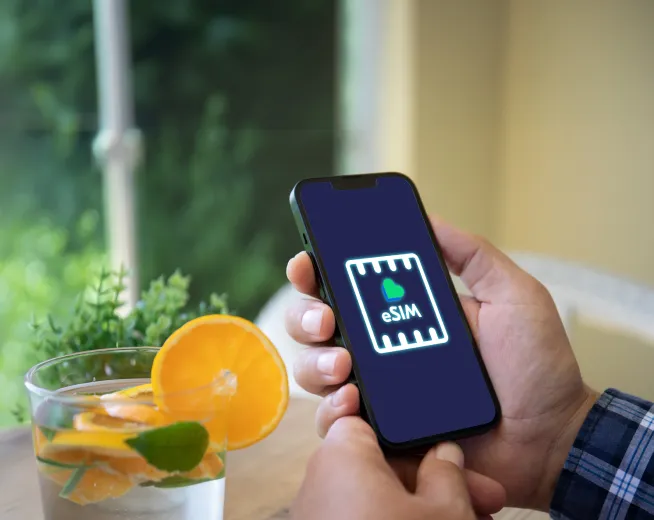
If you have ever ordered a replacement SIM card and were unsure of what size to select, or if you've encountered the term "eSIM" and you are somewhat confused by it, you are not alone. There have been many advances in SIM card technology during the last several years. Nowadays, there are three major types of SIM cards: Nano SIM, micro-SIM, and eSIM.
In this guide, you will learn about the distinct characteristics of each type of SIM card as well as what kind of devices support them and how to determine which type of SIM card is suitable for your Lyca Mobile plan.
50% Off 1st 3 Months
- EU Roaming included
- 1000 UK calls and texts
- 100 International minutes free
- EU Roaming (Data Cap 5GB)
50% Off 1st 3 Months
- Unlimited UK calls and texts
- 100 international minutes free
- EU Roaming (Data Cap up to 12GB)
- China Roaming (Data Cap up to 500MB)
What is a SIM card and why does the size matter?
SIM (subscriber identity module) card is a small chip that allows your cell phone to connect to a cellular operator's network. The SIM Card allows you to store your telephone number, your account information and network access credentials. Without this chip, you will not be able to make calls, send text messages or access mobile data services through your devices such cell phone, tablet, smartwatch, etc.
Proper SIM sizing ensures your chip aligns perfectly with your device's hardware for a stable, secure connection. Luckily, almost all Lyca Mobile SIMs come in a triple-cut format (a single card with three different cuts for Nano, Micro, or Standard).
Physical SIM Types
Nano SIM
The nano SIM card is the smallest size of physical SIM card and is also currently the most commonly used format for smartphones. The nano SIM was first released by Apple in 2012 with their iPhone 5, and has subsequently evolved into the default size for nearly all new cellular handsets. At only 12.3mm by 8.8mm the nano SIM is made of almost all chip material with only limited plastic around it.
- Devices: Apple's iPhone 5 and newer models, Samsung Galaxy S6 or later, Google Pixel models only, and most current Android Smartphones.
- Appropriate For: Any user with a recent smartphone who needs a physical SIM Card.
Micro SIM
The micro SIM is a bigger version of a nano SIM, measuring 15 by 12 mm, and serves as the most popular type of SIM until it was overtaken by the nano SIM. It became available alongside the iPad back in 2010 and was the most popular choice for smartphone users from 2010 to around 2015.
- Devices: iPhone 4, 4S, Galaxy S3, S4, 1st gen iPad and 2nd gen iPad, some older Android phones.
- Ideal For: Those who want to keep a mobile plan but don't have a current device that supports eSIMs or Nano SIMs.
The eSIM (Embedded SIM)
Unlike a physical SIM card, which is inserted into your device’s SIM card slot, an embedded SIM (eSIM) is an electronic SIM card that is embedded directly onto the device's circuit board during assembly. You can activate the eSIM and its associated subscription by either scanning a QR code or by entering an activation code online. This means, once again, there’s no need for a physical SIM card at all!
Since 2018, eSIM technology has developed very quickly and is now compatible with many of the latest smartphones, smartwatches, and tablets. Lyca Mobile has a range of services available that allow their customers to use eSIM as a fast and efficient way to set up on a new mobile plan when traveling overseas or when they are transferring from another service provider.
- eSIM-enabled devices: iPhone XS and newer, Samsung Galaxy S20 and newer, Google Pixel 3a and newer, Apple Watch Series 3 and newer, and iPad Pro (2018 and newer).
Comparison Summary
Feature | Nano SIM | Micro SIM | eSIM |
Dimensions | 8.8mm x 12.3mm | 12mm x 15mm | Embedded (No dimensions) |
Commonality | Every newer phone | Older devices (2010-2015) | Flagship phones since 2018 |
Activation | Physical Insertion | Physical Insertion | QR Code / Activation Code |
Setup Time | 1-2 days (Shipping) | 1-2 days (Shipping) | Instantaneous |
Travel | Physical Swap | Physical Swap | Digital Change |
Can you have both a physical SIM and an eSIM?
Yes it is possible. This "Dual SIM” is quite popular with smartphones nowadays. Most new phones support Dual SIM, Dual Standby (DSDS), allowing you to use an actual Nano SIM and an eSIM at the same time.
For example, if you are keeping your original SIM card from the UK active and want a Lyca Mobile eSIM to make international calls or use your phone as a data device, you can accomplish this with your DSDS supported smartphone. For frequent travellers, you can store your standard UK SIM in the physical tray, but when you travel to Spain, France and other European countries, you can purchase an eSIM from Lyca Mobile for use with a roaming plan.
Which SIM type does Lyca Mobile offer?
Lyca Mobile provides service for all 3 formats of SIM cards.
- Standard SIM: Delivered as a triple-cut size (nano, micro, standard). You simply pop in the SIM card size that fits your device.
- eSIM: Available for pay monthly or Pay As You Go SIM plans. Pick your plan, get your QR code, scan it in your phone settings, and you’re up and running in less than 5 minutes!
Frequently Asked Questions
What is the best way to know the size of SIM card for my mobile?
Check the phone's documentation, the manufacturer's website, or look in your SIM card tray. Most mobile phones made after 2015 will support a nano-SIM.
Can I cut a micro SIM into a nano size?
Yes, but we do not recommend it. If you improperly cut the SIM, it may damage the chip. It is much easier to obtain the correct triple-cut SIM or an eSIM from Lyca Mobile.
Will switching to an eSIM change my phone number?
No. When switching to a Lyca Mobile eSIM, your phone number remains unchanged. It just uses a digital connection instead of a physical one.
Is eSIM more secure than a physical SIM?
Yes. eSIM technology is seen as more secure because it is embedded inside the device and cannot be removed or replaced without authorisation. There is no physical card to lose or damage.
How do I switch my eSIM when I purchase a new device?
You will need to transfer your eSIM from your old phone to your new phone. You can do this by contacting Lyca Mobile customer service or using your online account.